
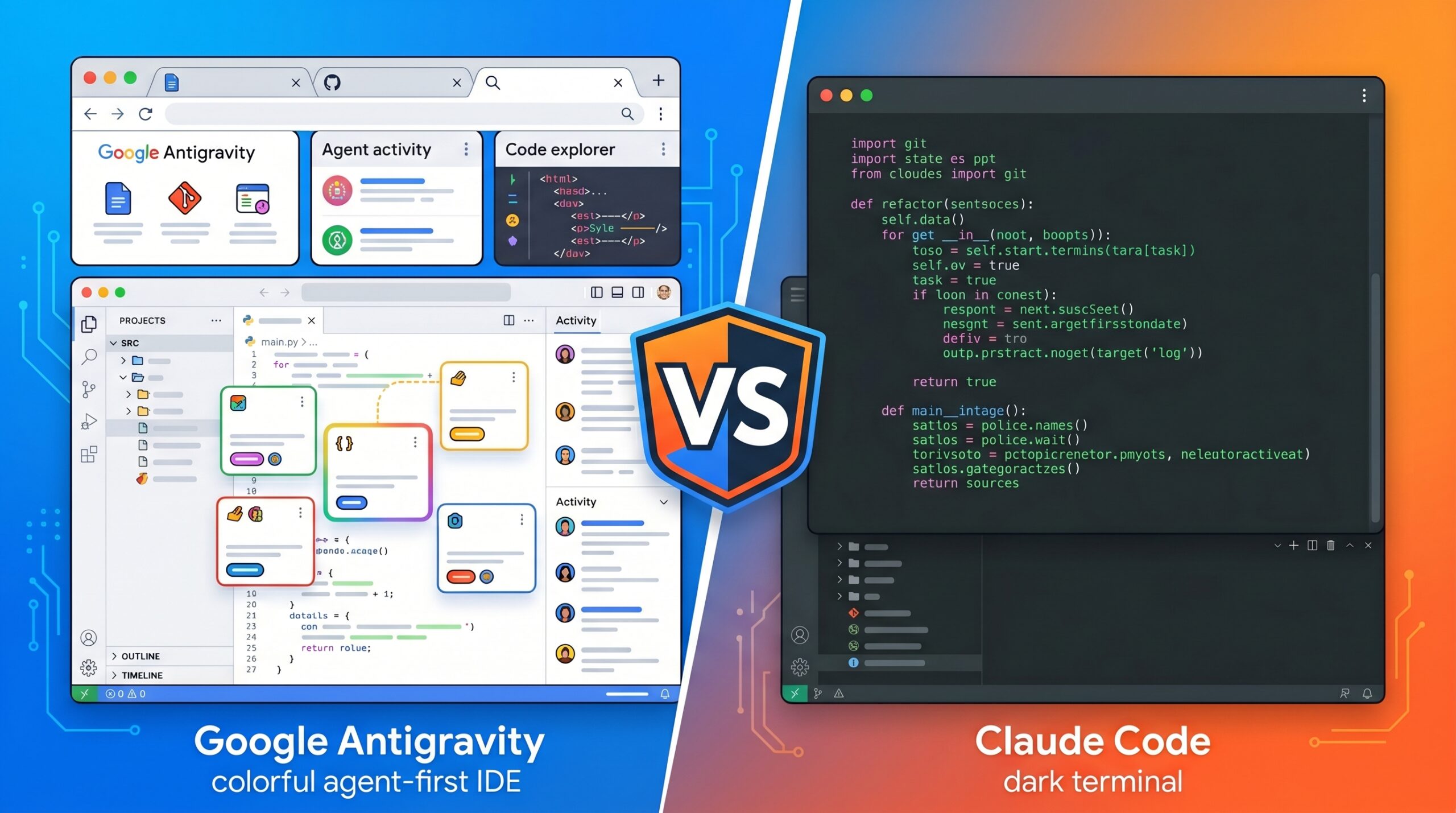
The antigravity vs claude code debate is one of the hottest topics in the developer world right now—and for good reason. Both tools are genuinely changing how developers write, test, and ship software in 2026. Google Antigravity brings a powerful agent-first IDE with multiple AI agents working in parallel. Claude Code by Anthropic brings a precise, terminal-native coding assistant with the most capable AI model available. But which one actually belongs in your workflow? That is exactly what this article will answer—covering architecture, real performance, pricing, use cases, and the specific scenarios where one tool clearly beats the other.”
The AI coding space in 2026 is moving faster than most developers can keep up with. New tools launch every few weeks, benchmarks get broken every month, and the marketing noise is relentless. But right now, two tools in particular are dominating every developer forum, every Reddit thread, and every tech YouTube channel: Google Antigravity and Claude Code by Anthropic.
Both are genuinely impressive. Both are changing how real developers ship real software. And both are getting a breakout surge in search interest, which means a lot of developers are currently trying to figure out which one deserves a spot in their workflow.
Here is the problem with most comparisons you will find online: they either go too shallow (just listing features like a spec sheet) or they are written by someone who clearly spent thirty minutes with each tool before drawing conclusions. This article is different. We are going to go deep—covering architecture, real performance, pricing, use cases, and the specific scenarios where one tool clearly beats the other.
By the end, you will have a clear, confident answer for your situation.
What Makes the Antigravity vs Claude Code Debate Important?
Not long ago, “AI coding tools” basically meant GitHub Copilot—an autocomplete assistant that finished your lines of code. Smart, but limited. You were still the architect, the debugger, the tester, and the deployer. The AI just filled in the blanks.
That era is essentially over.
What we have now are agentic coding tools—AI systems that do not just suggest code, but actually plan tasks, read your files, write entire features, run tests, catch bugs, and commit changes. You describe the destination, and the AI handles the journey.
Antigravity and Claude Code are both agentic tools. But they represent two completely different philosophies about what “agentic” should look like—and understanding that philosophical divide is the key to picking the right one.
What is Google Antigravity?
Google Antigravity was announced in November 2025 alongside the release of Gemini 3. It is a full-featured, standalone IDE — think VS Code, but rebuilt from the ground up to put autonomous AI agents at the center of the experience rather than the edges of it.
The platform is powered primarily by Gemini 3.1 Pro and Gemini 3 Flash, though it also supports Claude Sonnet 4.6 and open-source OpenAI models. That model flexibility alone is unusual—most AI IDEs lock you into one provider.
What makes Antigravity genuinely different from tools like Cursor or Copilot is the Agent Manager. Instead of a single chatbot sitting in a sidebar, Antigravity gives you a Mission Control surface where you can dispatch multiple AI agents to work on different tasks simultaneously. One agent refactors your backend. Another runs your test suite. A third opens a real browser, navigates to your localhost, clicks through your UI, and validates that your new feature actually renders correctly.
This is not a chatbot. This is closer to having a small development team that works at machine speed.
At its core, Antigravity has two distinct interfaces:
The Editor View — a familiar coding environment with AI-powered tab completions and inline commands. If you want to stay hands-on, this is your space.
The Manager View—the multi-agent orchestration layer. You define a mission, and the agents plan the implementation, generate artifacts (task lists, implementation plans, and browser screenshots), and execute across your editor, terminal, and browser—all without constant intervention from you.
The learning curve is real. Antigravity is not something you master in an afternoon. But for developers who take the time to learn it, the productivity gains can be dramatic.
What is Claude Code?
Claude Code is Anthropic’s agentic coding tool, and it takes the opposite approach in almost every way.
Where Antigravity is a visual IDE you live inside, Claude Code is a command-line tool you invoke from your terminal. There is no separate application to download and configure. You open your terminal, navigate to your project directory, type claude, and you are in. From that point, you describe what you need in plain English, and the agent reads your codebase, plans the steps, and starts working.
The critical thing to understand about Claude Code’s design philosophy is control and transparency. Before Claude Code modifies any file, it shows you exactly what it plans to do and asks for your approval. Every significant change is visible, auditable, and reversible. You are never in the dark about what the AI is doing to your project.
It currently runs on Claude Opus 4.6 and Claude Sonnet 4.6—Anthropic’s most capable models as of early 2026. The standard context window is 200K tokens, with a 1 million token context window available on Max, Team, and Enterprise plans.
Claude Code works alongside your existing editor rather than replacing it. It has official extensions for VS Code, support for Cursor and Windsurf, a JetBrains plugin in beta, and works natively with terminal-first editors like Neovim and Emacs. The idea is that you should not have to change your entire development environment to use it — the tool adapts to you.
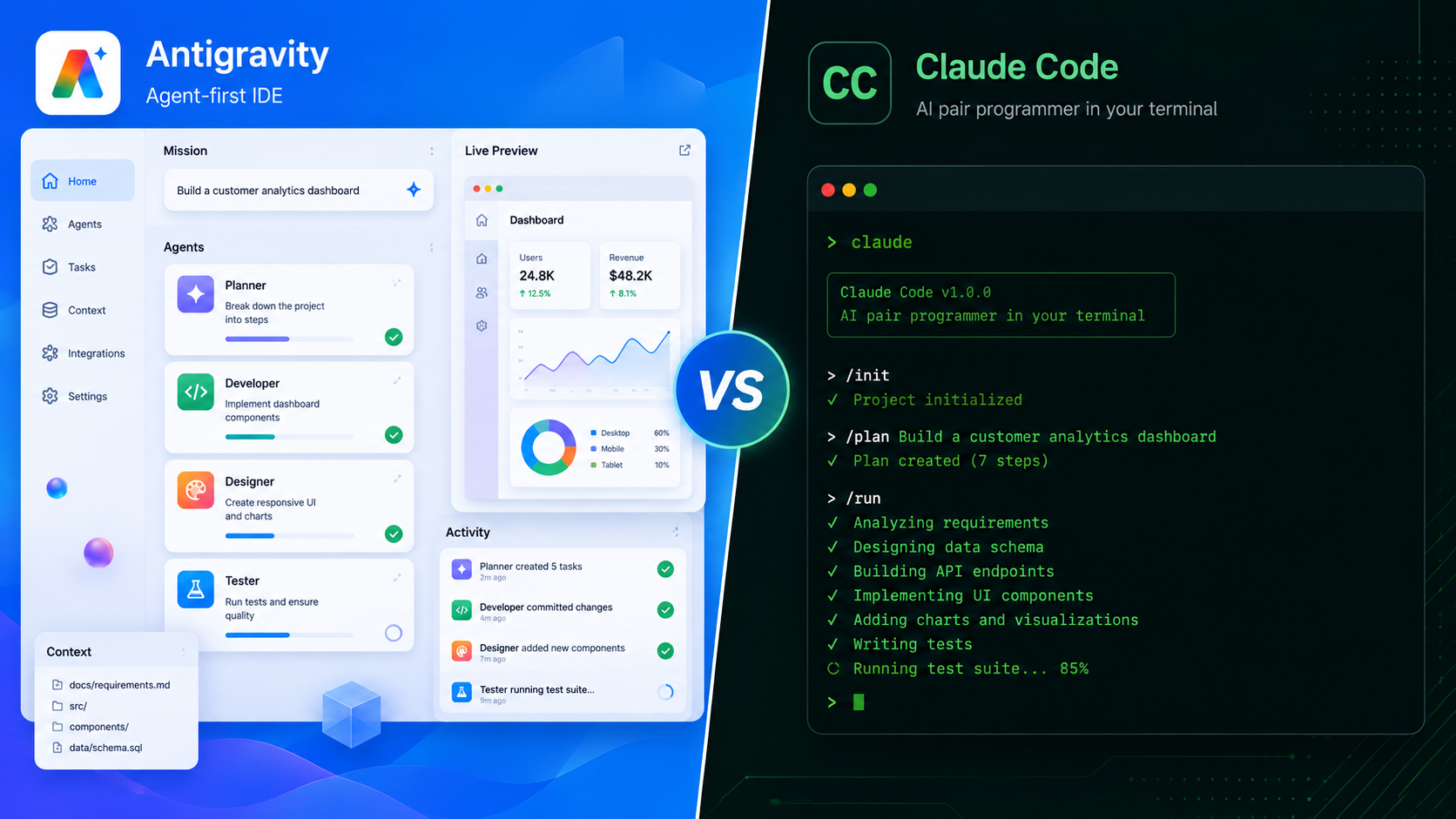
The Core Difference: Visual IDE vs Terminal Agent
Before diving into the feature-by-feature breakdown, it is worth pausing on the core philosophical divide — because this alone will answer the question for a large percentage of readers.
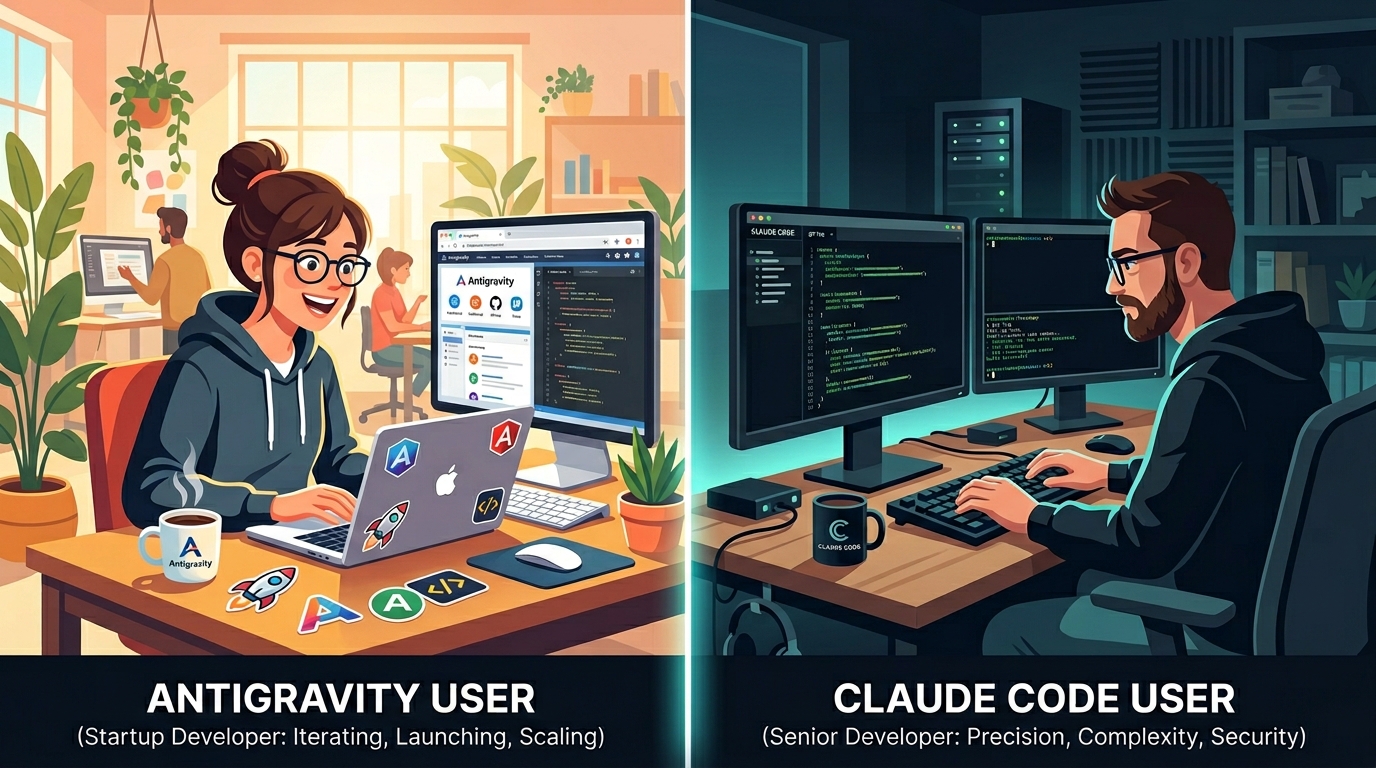
Antigravity’s philosophy: Give the AI its own dedicated space to work. Agents should not be tucked into a sidebar. They need a full interface to plan, execute, browse, and report back. Show the developer everything through human-readable artifacts so they can review and redirect without micromanaging.
Claude Code’s philosophy: Keep the AI close to the developer, not in front of them. The terminal is already where experienced developers do their most powerful work. A sequential, approval-gated approach means nothing happens behind your back, and the audit trail is always clear.
Neither philosophy is wrong. They serve different types of developers and different types of work. The mistake most comparison articles make is trying to declare one a winner. The honest answer is that they solve different problems exceptionally well.
Feature-by-Feature Comparison
Interface and Workflow:
Antigravity is a standalone IDE that replaces your existing editor. When you install it, you can import settings from VS Code or Cursor on first launch, which makes the transition smoother. But make no mistake — Antigravity is its own environment, running on the Open VSX extension registry rather than Microsoft’s proprietary Marketplace. That means some VS Code extensions you rely on may not be available.
Claude Code is purely terminal-native. It has no graphical interface of its own. It runs inside whatever terminal you already use, and it integrates with whatever editor you already have open. For developers with years of carefully tuned VS Code or Neovim configurations, this is a significant advantage — nothing gets disrupted.
Verdict on interface: If you want visual clarity and an all-in-one environment, Antigravity wins. If you want to preserve your existing workflow with zero disruption, Claude Code wins.
AI Model Performance:
This is where the numbers get interesting.
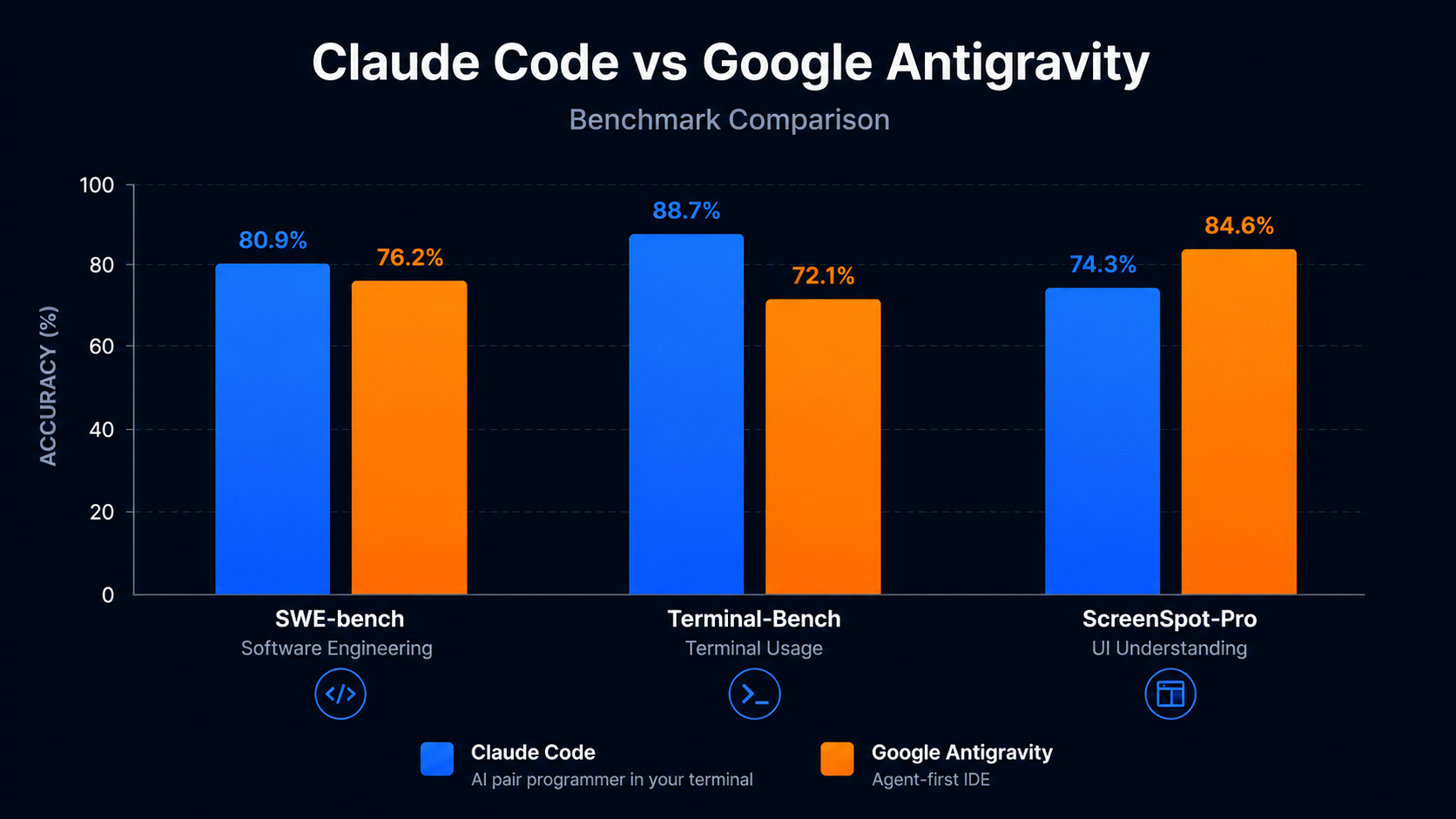
Claude Opus 4.6 scores around 80.9% on SWE-bench — the industry benchmark for real-world bug resolution on open-source codebases. Gemini 3.1 Pro, which powers Antigravity, scores 76.2% on the same benchmark. On paper, Claude has the edge on raw coding intelligence.
But benchmarks do not tell the full story. SWE-bench measures isolated bug resolution. In the real world, tasks are messier. For large-scale architectural reasoning—refactoring fifty interdependent files, tracing a bug across a complex dependency graph, and maintaining coherent logic across a codebase with hundreds of components—Claude Code’s model quality genuinely shows.
On the flip side, Gemini 3.1 Pro scores 72.7% on ScreenSpot-Pro, which measures the ability to understand and interact with UI screenshots. This is directly tied to Antigravity’s built-in browser sub-agent. For front-end heavy work where visual testing matters, Antigravity’s model is purpose-optimized in a way Claude Code simply is not.
There is also a terminal benchmark worth noting: Antigravity scores 54.2% on Terminal-Bench, significantly trailing Claude Code. For terminal-heavy workflows—running tests, debugging CI pipelines, and Git operations—Claude Code is the stronger performer.
Verdict on performance: Claude Code leads on complex reasoning and terminal tasks. Antigravity leads on UI-aware, browser-integrated workflows.
Multi-Agent Capabilities:
This is Antigravity’s headline feature and its most significant advantage over Claude Code.
In Antigravity’s Manager View, you can dispatch multiple agents to work in parallel. One handles the backend logic, another runs tests, and a third operates a live browser to verify the UI. They all work simultaneously, reporting back through artifacts — structured deliverables like task lists, implementation plans, screenshots, and browser recordings that you can review and comment on like a Google Doc.
You can even leave feedback directly on the artifacts, and the agents will incorporate your input without stopping their execution flow. The result, for developers who learn to use it well, is genuine parallelization of development work.
Claude Code works sequentially. One task, one agent, step by step. This is slower in absolute terms, but it means the developer always knows exactly where the AI is in a task, what it has done, and what comes next. For complex codebases where a mistake in one area could cascade into three other areas, that sequential clarity has real value.
Verdict on multi-agent work: Antigravity wins decisively for speed and parallelism. Claude Code wins for auditability and safety on production code.
Browser and UI Testing
When comparing antigravity vs claude code, the browser testing difference is significant. One of the genuinely impressive things about Antigravity is that its browser sub-agent is not a gimmick. It runs a real browser, navigates to your localhost, and can click buttons, fill forms, and validate that your UI is rendering and behaving correctly — all without you writing a single line of Selenium or Playwright code.
For full-stack developers building web applications, this is a meaningful time saver. The agent can catch a layout bug in your new dropdown component before you ever open a browser yourself.
Claude Code has no native browser integration. You would need to set up MCP (Model Context Protocol) server integrations to approximate this functionality, which requires additional configuration and is not as seamlessly integrated into the workflow.
Verdict on browser testing: Antigravity wins, and it is not close.
Enterprise Features and Security
For professional teams and regulated industries, this section matters more than benchmarks.
Claude Code has a deeply documented enterprise feature set: SSO, SCIM provisioning, audit logs, HIPAA readiness, and deployment options through Amazon Bedrock, Google Vertex AI, and Microsoft Foundry. Anthropic’s Trust Center provides downloadable compliance artifacts that enterprise procurement teams can actually use.
Antigravity has an Enterprise tier listed through Google Cloud, but as of mid-2026 it is not yet publicly available, and there is no product-specific compliance documentation. Giving an AI agent autonomous access to your file system, terminal, and browser is a powerful capability — but it also creates real security vectors. Antigravity addresses this through configurable Artifact Review policies and Terminal Command Auto Execution settings, but the overall enterprise security story is still immature.
There is also an important practical concern: some early users have reported that Antigravity agents, when given too much autonomy, have issued destructive commands that corrupted project files. This is not a theoretical risk — it has happened to real developers. The lesson is to keep your Terminal Command Auto Execution setting on “Request Review” until you are very familiar with how the agents behave.
Verdict on enterprise and security: Claude Code wins clearly for any team that needs documented compliance or is working with sensitive production systems.
Pricing
| Plan | Google Antigravity | Claude Code |
|---|---|---|
| Free Tier | Yes (rate limited) | No |
| Pro | $20/month | $20/month |
| Ultra/Max | $249.99/month | $200/month |
| Pay-as-you-go | $25 for 2,500 AI credits | API usage based |
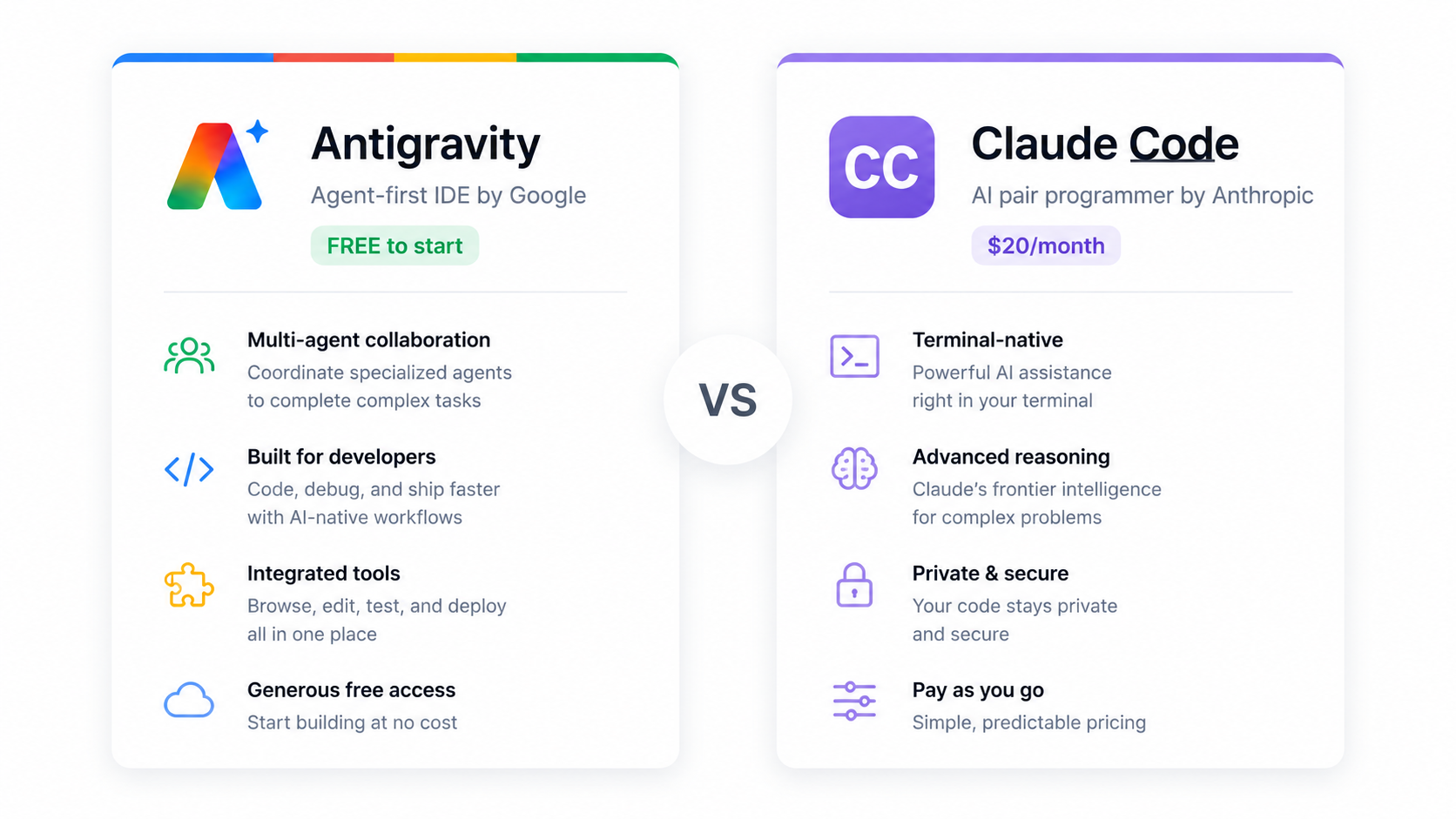
The free tier is Antigravity’s biggest tactical advantage for individual developers and students. You can download it, install it, and start building today without spending anything.
However, there are important caveats. Google has tightened rate limits through early 2026 without much public announcement. Free tier users report hitting limits within two to three hours of intensive coding. Some Pro users have reported hitting weekly caps after a relatively small number of prompts, with one developer documenting that a single intensive session consumed 635 of their 1,000 monthly AI credits.
Claude Code has no free tier, but its pricing structure is straightforward and predictable. At $20/month for Pro, it delivers exceptional value if you are already doing professional development work.
Verdict on pricing: “In the antigravity vs claude code pricing comparison, Antigravity wins on accessibility while Claude Code wins on predictability.
Real-World Use Cases: When to Choose Which
Choose Antigravity if:
You are building a new web application from scratch and want to move fast. Antigravity’s parallel agents and built-in browser testing make it exceptional for rapid prototyping. Early users report getting working prototypes to a viewable state significantly faster than with sequential tools.
You are a student or early-career developer who wants to explore agentic AI coding without upfront costs. The free tier is genuinely useful, and the visual interface makes the agent’s behavior easier to understand and learn from.
You are doing front-end intensive work where visual validation matters. The native browser sub-agent catches UI issues in ways that text-based tools simply cannot.
You are comfortable with the Google ecosystem and already use Gemini or Google Cloud services in your workflow.
Choose Claude Code if:
You work on large, complex, or legacy codebases where surgical precision matters more than speed. The sequential, approval-gated approach means you stay in control of every meaningful change.
You are in a regulated industry—healthcare, finance, legal, or government—where compliance documentation and audit trails are non-negotiable. Claude Code’s enterprise feature set is built for exactly this environment.
You live in the terminal. Neovim, tmux, Git from the command line, shell scripts—if this describes your workflow, Claude Code will feel completely natural. Antigravity will not.
You want the highest available code reasoning capability. Claude Opus 4.6’s benchmark lead over Gemini 3.1 Pro is meaningful on tasks that require deep architectural understanding.
The Elephant in the Room: Which One is Winning?
If you look at Google Trends right now, “antigravity vs claude code” is a breakout search term. That surge in interest tells you something important: a huge wave of developers is encountering both tools for the first time and trying to make a decision.
Here is the honest answer that most comparison articles will not give you: right now, in mid-2026, Claude Code has a more polished and reliable experience for professional development work. Its model quality is higher, its enterprise story is mature, and developers report stable, predictable experiences even on large codebases over months.
Antigravity, by contrast, is still in public preview. It is ambitious and genuinely impressive — particularly the multi-agent architecture and browser integration. But there are reliability concerns, rate limit opacity, and the enterprise readiness simply is not there yet. The community is excited but also cautious.
That said, Antigravity is a Google product with Google resources behind it. The trajectory is clear. Six months from now, many of today’s limitations will likely be resolved. If you are evaluating for a long-term team investment, it is worth keeping a close eye on.
Side-by-Side Summary
| Category | Antigravity | Claude Code |
|---|---|---|
| Interface | Full standalone IDE | Terminal CLI |
| Primary Model | Gemini 3.1 Pro | Claude Opus 4.6 |
| SWE-bench Score | 76.2% | ~80.9% |
| Multi-Agent | Yes (parallel agents) | No (sequential) |
| Browser Testing | Built-in | Requires MCP setup |
| Free Tier | Yes | No |
| Pro Pricing | $20/month | $20/month |
| Enterprise Features | Limited (preview) | Full (SSO, HIPAA, etc.) |
| Learning Curve | Medium-High | Low-Medium |
| Best For | Prototyping, front-end, visual workflows | Complex codebases, enterprise, terminal users |
Antigravity vs Claude Code — Final Verdict
Stop looking for a single winner. There is not one.
Use Antigravity when you want to build fast, iterate visually, and leverage parallel agents on greenfield projects. It is the most ambitious free offering in the AI coding space right now, and for the right workflow, it genuinely delivers.
Use Claude Code when precision, control, and reliability matter more than raw speed. If you are shipping to production, working on a team with compliance requirements, or dealing with a codebase where one bad change could take down a service, the sequential approval-based model is a feature, not a limitation.
And if you have the budget and the inclination? Use both. They are not rivals so much as they are tools built for different moments in the development cycle. Antigravity for the sprint. Claude Code for the careful work.
To get the best output from either tool, writing clear and effective prompts makes a huge difference — try our free AI Prompt Generator to build better coding prompts instantly
The agentic era of coding is only getting started. The antigravity vs claude code question does not have one single answe. Neither of these tools looks the same as it did six months ago, and neither will look the same six months from now. The best move is to stay curious, test on real projects, and let your actual workflow—not a benchmark—make the decision for you.
Have you used either Antigravity or Claude Code in a real project? Share your experience in the comments—what worked, what surprised you, and which one you reached for when it actually mattered.
I think claude is better than antigravity in most cases.